|
1. Generating Pre-Start Checklist Reports
Repair & Maintenance>>Checklists>>Reports
These reports include only details relating to Pre-start Checklists and not Periodic Checklists to ensure relevance in relation to National Heavy Vehicle Accreditation Scheme (NHVAS).
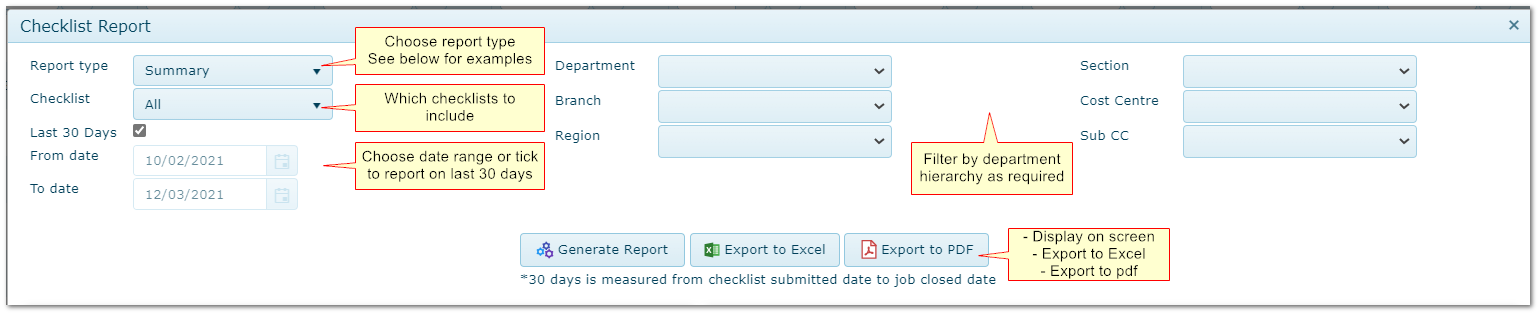
•Select Summary, Detail or Results report
•Enter date range or tick "Last 30 days" flag
•Select individual checklist to report on or "All"
•Filter by Department Hierarchy is necessary
•Export report results to spreadsheet (.csv) or pdf if required
Due to the number of checklists carried out, a limited date range is recommended for Detail and Results reporting, due to the volume of data involved.
Generating a Report
2. Summary Report
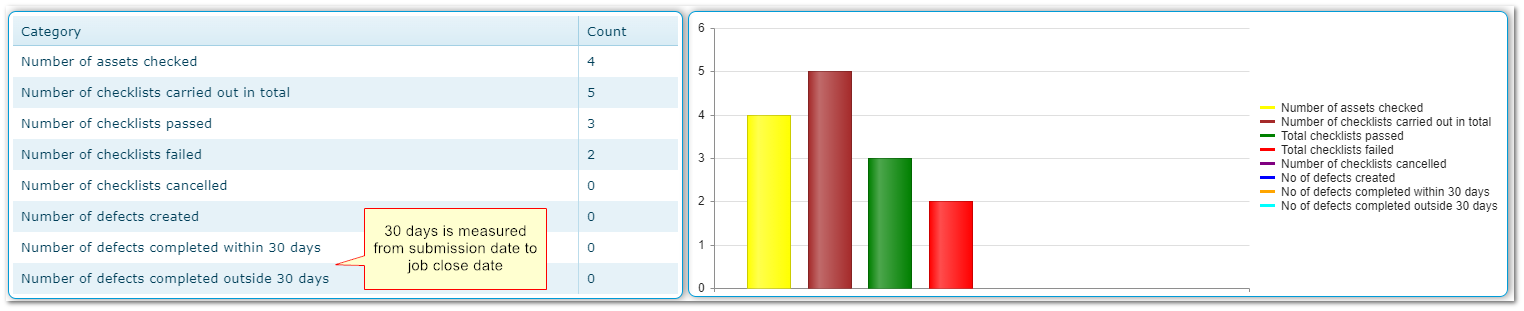
An overview of checks carried out, passes, failures etc. and repairs completed within /outside 30 days.
3. Detail Report
A count of checklists carried out per Fleet Item (number submitted, passed, failed etc.) with any R&M jobs created from the checklists submitted.


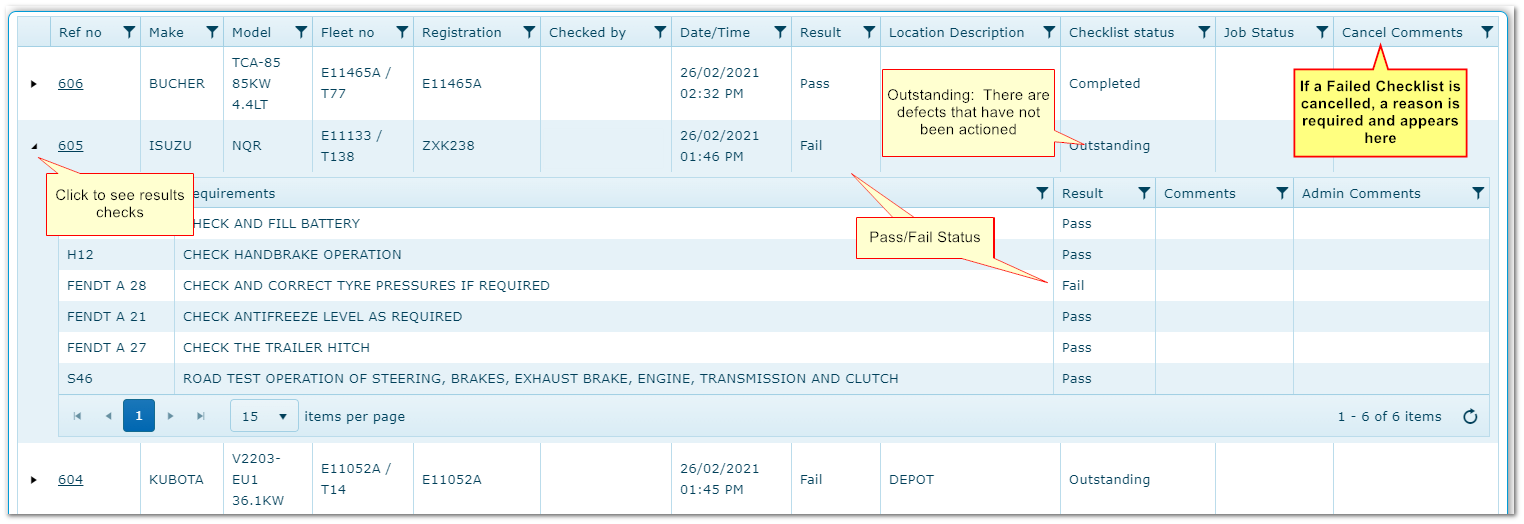
4. Results Report
A list of all checklists with full details and results for each check carried out.
|

