|
1. Uploading Multiple Job Cards to the Database
If you want to save job cards to the database, this optional feature allows pdf or jpg versions to be uploaded in bulk to avoid uploading individually.
The Documents module is also required.
Speak to your Account Manager of call Help Desk on 02 9986 2800 for information on pricing and activation.
Menu option to upload job cards in bulk

•User Right 50.84 - Import Bulk job Module - is required
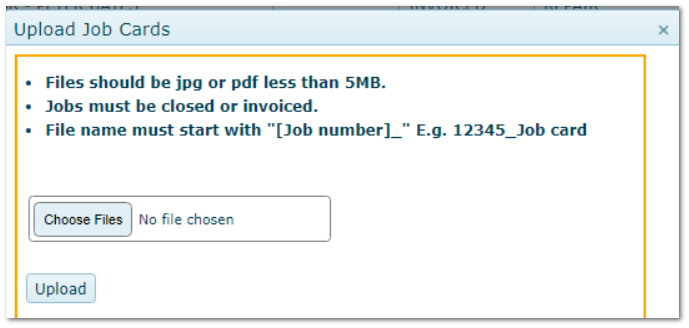
•The pdf files must be saved to a specific location and the file name MUST start with he job number followed by an underscore E.g. 12345_job card.pdf
•Files are validated for the following conditions prior to be uploaded
Validation
|
Pass Result
|
|
Does the job number exist in the database?
|
YES
|
|
Does the file name already exist in the database?
|
NO
|
|
Is the job Closed or Invoiced?
|
YES
|
|
Is the file format jpg or pdf?
|
YES
|
|
Is the file size under 5MB?
|
YES
|
•Files that pass all validations are moved to a sub-folder called "Passed DDMMYYYY"
•Files that fail any of the validations are moved to a sub-folder "Suspended DDMMYYYY"
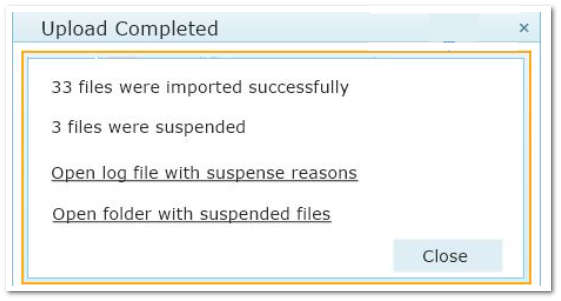
On completion of validations, a results screen is presented with a link to a log file with failure reasons.
Correct the failed files, move them to the original folder and repeat the process.
Uploaded files are available in the Documents module and in the Documents tab in R&M jobs with:
•The file name as per upload (E.g. 12345_job card.jpg)
•A relationship to the Job number
•A security setting of Public
•The Description "Job Card"
Upload Screen
Results Screen
|

