|
1. Module Design
AusFleet employs a standard design for all modules.
Different browsers may present screens differently and in some cases can adversely affect functionality.
AusFleet supports Google Chrome and Microsoft Edge. Other browsers may not support some functionality.
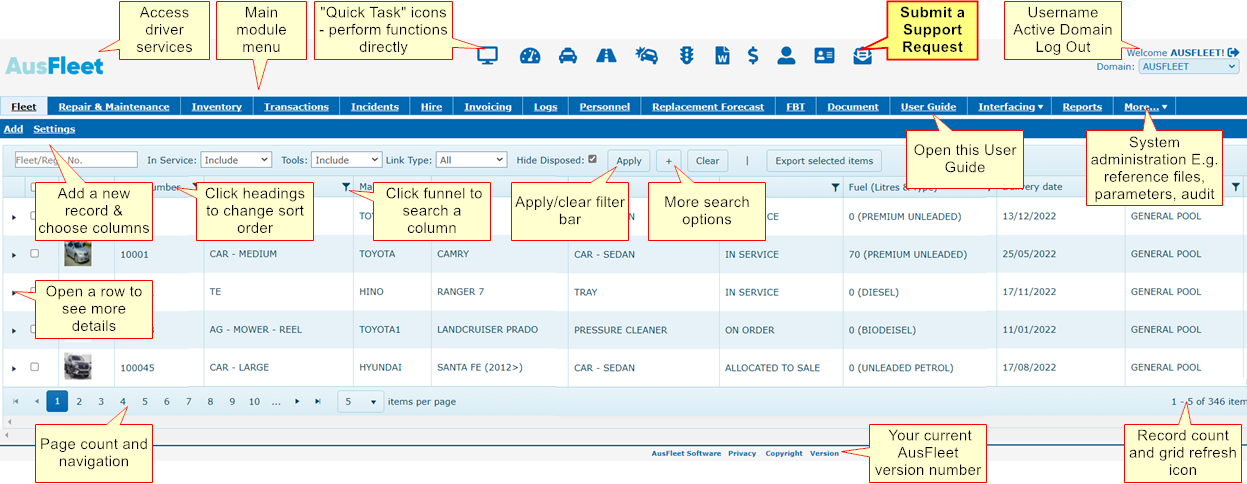
2. Column Search, Filter and View Options
The Funnel Icon
This appears in column headers and allows you to search that particular column.
When the funnel is orange, it indicates there is a filter in place.
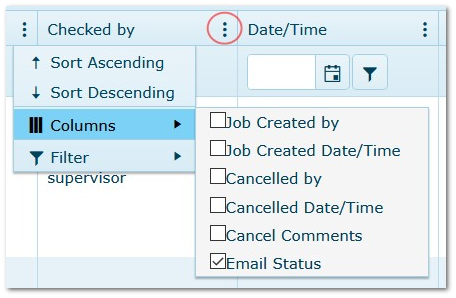
Three Dots Icon
This is used in a few places and has additional options, including extra columns.
The Three Dots Icon
|
|
|
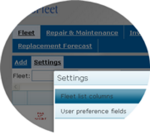
3. Choosing Your Personal Preferences Using the "Settings" Option
|
Fleet, R&M, Hire, Inventory, Personnel modules have a "Settings" option.
Use this to choose which columns to display.
•Settings are individual to each user
•They are retained for future sessions
•Displaying too many columns may adversely affect display or performance
|
|
|
To changed displayed columns...
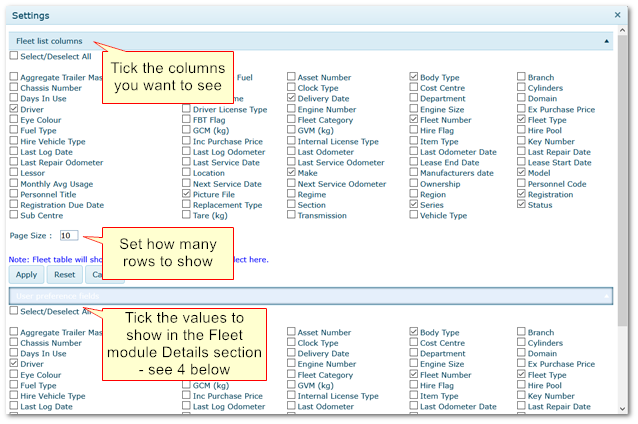
•Go to Settings>>Fleet List Columns
•Tick the columns you wish to see on the main screen. The order of selection dictates the order the columns appear
•Choose how many rows will be shown in the grid by default
•Click "Apply" to save your settings
•Use "Reset" to apply the default system selection
•Around 10-15 columns are recommended for best display and performance
|
|
4. Choosing Which Details to Show at the Top in Fleet Module
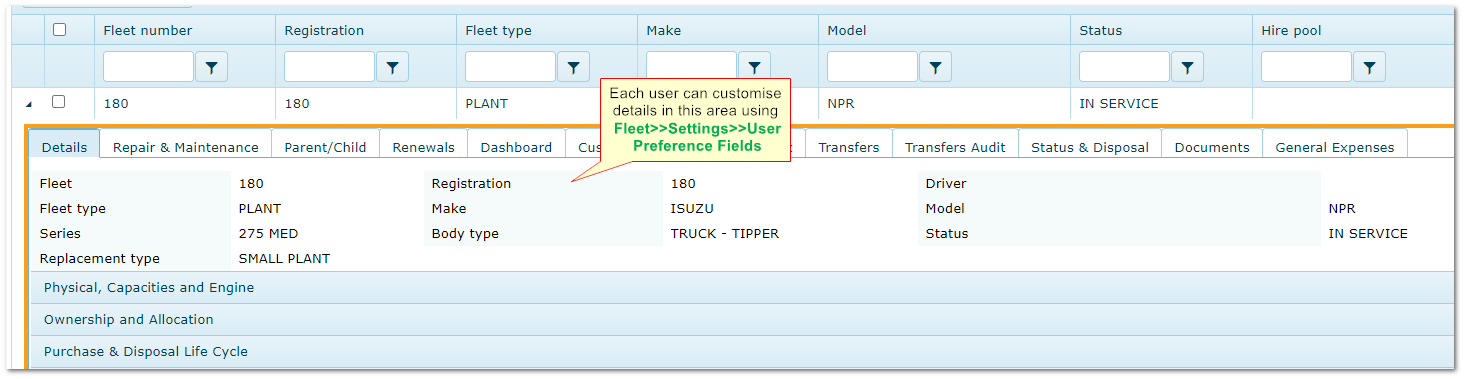
In Fleet module, you can choose which details appear at the top of the Details tab, to give you quick access to commonly used fields.
•Select the fields you wish to see in the Details section at the top of fleet item details
•Selecting too many fields may affect performance
•Use "Reset" to clear selections
Choosing Fleet Module Details
|

