|
1. Non Stocked Items (NSI)
Inventory>>Parts List>>Part Details
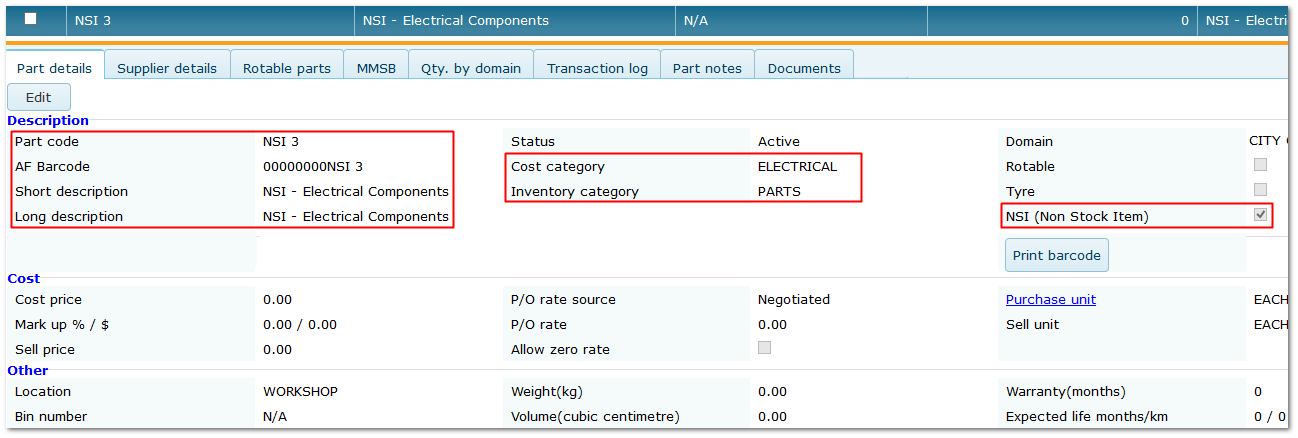
•NSI allow infrequently used items to be ordered without having to create a specific part.
•Tick the NSI flag - this limits the details that can be entered.
•The NSI part can then be selected on PO's etc. by entering "NSI" as the part number and adding additional details.
•Multiple NSI can be created (e.g. one for each part category or cost category).
•NSI can be located in the parts list using the NSI filter on the Inventory menu.
Important:
•Stock quantities, pricing and other details are not managed for NSI
•Price, description etc. must be entered manually on PO's etc. each time they are used
Creating an NSI
End of Chapter.
|

