Exporting Income & Expenses


1.  Export Transactions From AusFleet Into a csv File


To use the specific Navision, Movex, ANZ or Finance One import programs, contact AusFleet Help Desk or your Account Manager.


1.1 To create a generic csv file with records from AusFleet

Interfacing>>Export Data>>Export Costs


Step

Action

1.  Transaction Details

Decide whether to export records for a financial period or based on a date range.


Option 1:  Choose a financial period from the Periods reference file

(Reference files>>Administration>>Company Details>>Periods)

Option 2:  Tick the date range flag and enter a date range from which transactions will be selected

Click Continue

2.  Summarise

Select whether to export transactions for specific debtors or fleet items.

Tick transactions to include

Click Continue

3.  Choose Columns

Choose which data columns to include in the export file.


Tick columns to include

Click Continue

4.  Transaction Types

In the final step, choose the Transaction Types that will be included.


Tick Types to include in the export file

Click Continue

5.  Result

AusFleet creates a new Export Batch in Interfacing>>Export Data>>Costs


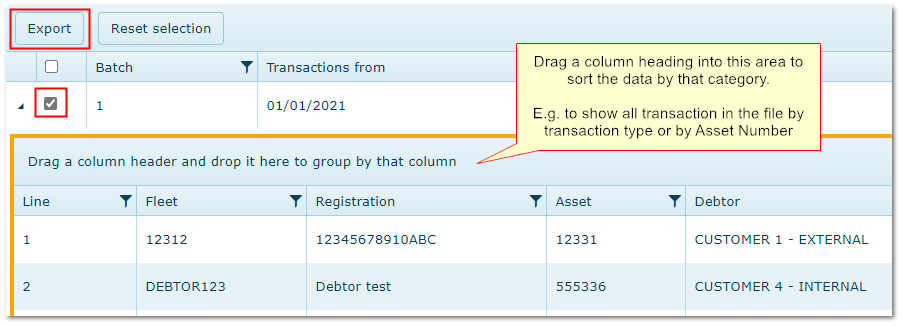
Tick the batch(es) to export and click "Export".  You will be presented with an option to choose which columns to include

The csv file is generated and can be opened in Excel


Exporting records to csv file


© Trisoft Corporation 2023