|
1. Import Debtors
Interfacing>>Import Personnel Data>>Debtors
This adds basic details for new Debtors in the reference file (More>>Reference files>>Debtors>Debtors).
Additional information can be entered in the reference file.
See also: Debtors
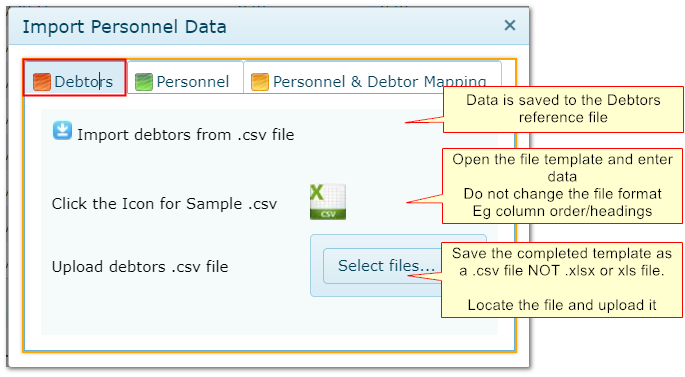
Values that can be imported:
Value
|
Maximum Characters
|
DEBTOR CODE
|
20
|
DEBTOR NAME
|
100
|
ADDRESS 1
|
50
|
ADDRESS 2
|
50
|
ADDRESS 3
|
50
|
STATE
|
20
|
POSTCODE
|
4
|
CONTACT NAME
|
50
|
PHONE
|
20
|
FAX
|
20
|
EMAIL
|
50
|
ABN
|
20
|
2 Import Personnel
Interfacing>>Import Personnel Data>>Personnel
This adds basic details for new staff in the Personnel module. Additional information can be entered in the reference file.
See also: Personnel
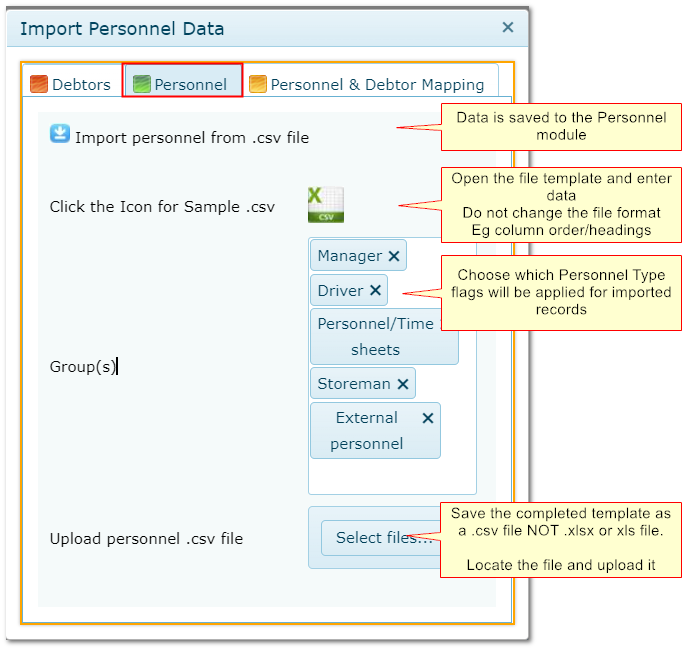
2.1 "Groups"
These refer to the Personnel type flags available in Personnel>>Details
Group/Personnel Type
|
Description
|
Manager
|
Person can be chosen as the Manager of another person in their Personnel record.
In AusFleet, Managers receive bookings approvals, emails etc.
|
Driver
|
Person can be chosen in vehicle allocation, accidents, infringements, FBT and logs
|
Personnel/Timesheets
|
Person can be chosen in timesheets entry (R&M and Hire)
|
Storeman
|
Person can issue parts from auto-labour entry (legacy function)
|
External Personnel
|
Used to give non-employees access to selected reports (seek advice from AusFleet to ensure licence conditions are met)
|
2.2 Values that can be imported
Value
|
Maximum Characters/Format
|
Comment
|
EMPLOYEE NUMBER
|
20
|
Must be unique. Populates "Employee Number" field in Personnel module
|
PERSONNEL NAME
|
50
|
Person's name. Populates "Name" field in Personnel module
|
ADDRESS 1
|
50
|
Street address 1
|
ADDRESS 2
|
50
|
Street address 2
|
SUBURB
|
50
|
Suburb
|
DATE OF BIRTH
|
DD/MM/YYYY
|
|
LICENCE NUMBER
|
20
|
Driving licence number
|
EXPIRY DATE
|
DD/MM/YYYY
|
Driving licence expiry date
|
EMAIL
|
50
|
Email address
|
COMMENTS
|
500
|
Free type entry. Populates the "Comments" field in Personnel details
|
LOCATION
|
100
|
Free type entry. Populates the "Comments" field in Personnel details
|
JOB TITLE
|
20
|
Job Title
|
PHONE
|
20
|
Landline Phone Number
|
MOBILE
|
20
|
Mobile phone number
|
LICENCE TYPE
|
Must exist in Reference Files>>Personnel>>Licence types
|
Driving Licence type. Must be one that already exists in the reference file
|
MANAGER
|
The manager must be an existing record in Personnel module
|
1. Populates the Manager field for the person being imported.
2. The manager must already be entered in Personnel module.
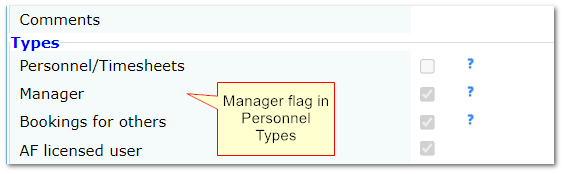
3. If the manager is not already flagged as a manager, the flag will be applied automatically when importing.
4. If the managers email address has been entered into AusFleet, this will be populated in the person's record automatically.
|
Flagging a person as a Manager in Personnel
3. Personnel/Debtor Mapping
Above, we imported Personnel and Debtor records.
This option maps (links) the people with their related debtors for cost accruals and invoicing.
See also: Debtors
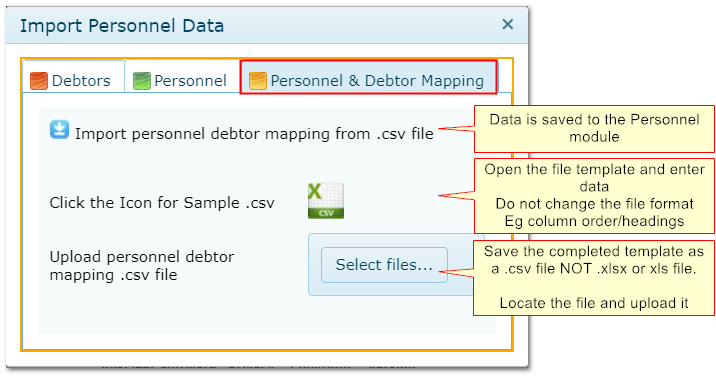
In the template:
•Enter the Personnel Code (the person's unique Employee Number)
•Enter the related Debtor Code and Debtor Name
•The personnel code and debtor code/description must already exist in AusFleet
|

