|
From Version 9.3 the following import process has been replaced by an updated import module and will be removed during 2023/4.
New File Import Programs.
1. Importing Supplier Files
Transactions>>Import Transactions>>eTolls
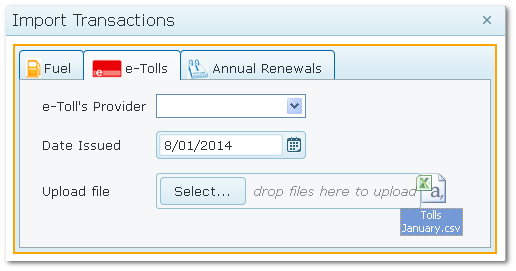
Select the supplier to be imported, enter the file date and upload the file (locate it with the "Select" button or drag into the pop up window)
e-Toll Import Window
•When importing, AusFleet validates transactions for various conditions
•When complete, the batch appears in in the "Batch" tab
•Review the batch for any suspended records
•Records which pass all validations are posted and marked "Posted"
•Records which fail validation are labelled "Suspended"
•Click "Reasons" to see why the record was suspended. Click "Edit" to change the vehicle and "Repost"
•Costs are not accrued to assets until the records is successfully posted
See Parameter 1650, which turns off the validation for correct tag allocation.
|

