|
1. Introduction
Incidents>>Infringements
Before use, please review the module Set Up details.
Infringement details are available in Driver Activity and Fleet Activity reports.
A record of deleted infringements is recorded in Audit (More>>Audit).
Add
|
Add a new record
|
Settings
|
Change the columns shown in the main view
|
Search bar
|
Search for records using various values
|
Export
|
Select records in the accident list and export details shown in columns in csv format
|
Click Add and choose "Infringement" or use the Quick Task icon

Enter details as required and Save.
Infringement Details
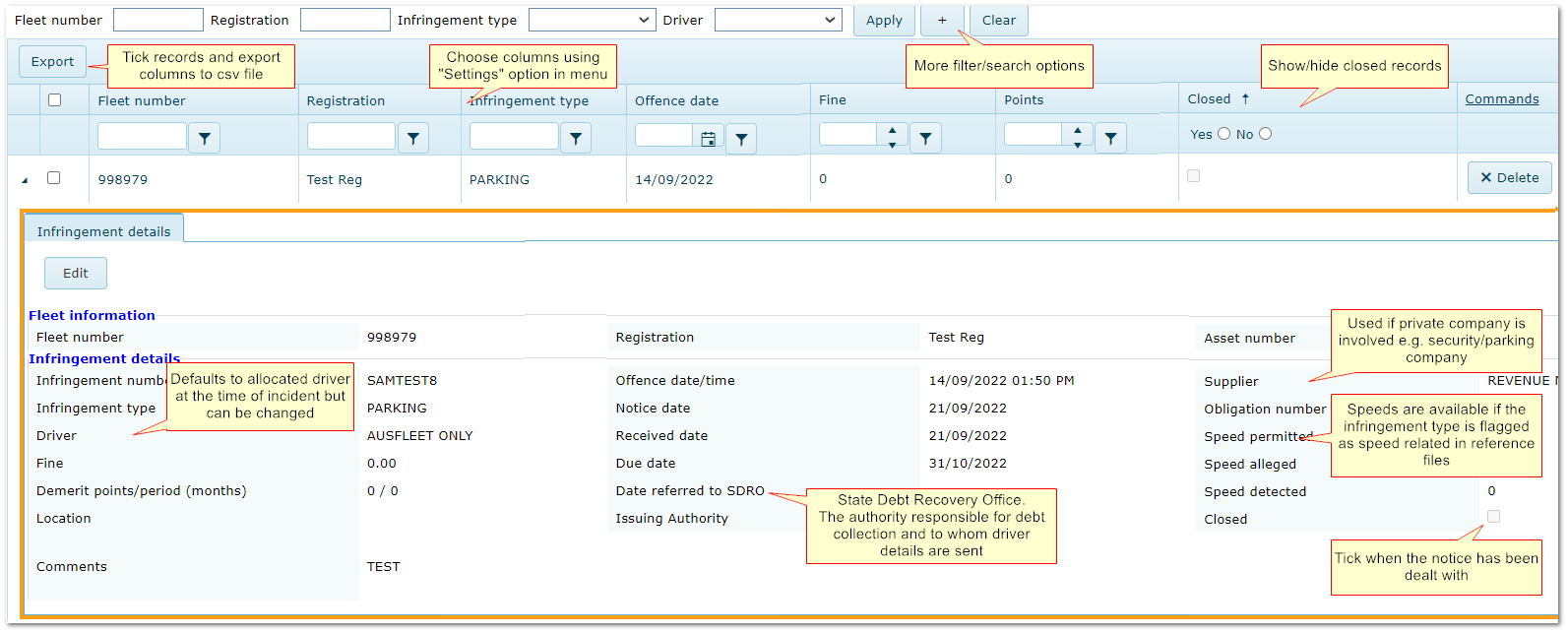
If an infringement is listed in red it indicates it is near to the fine payment due date.
You can set the number of days prior to the due date that it will turn red in Parameters>>Default values>>1200.
|

