|

For accurate service scheduling it is vital that jobs are closed when complete and that accurate odometers are recorded.
Closing a job triggers update of the service schedule.
1. Can I charge different mark-ups and labour rates to different customers?
Yes, this is achieved using the "Debtor Type" reference file. Each debtor type can have a different set of charges to apply to jobs.
•Create as many Debtor Types as required (More>>Reference Files>>Debtors>>Debtor Types).
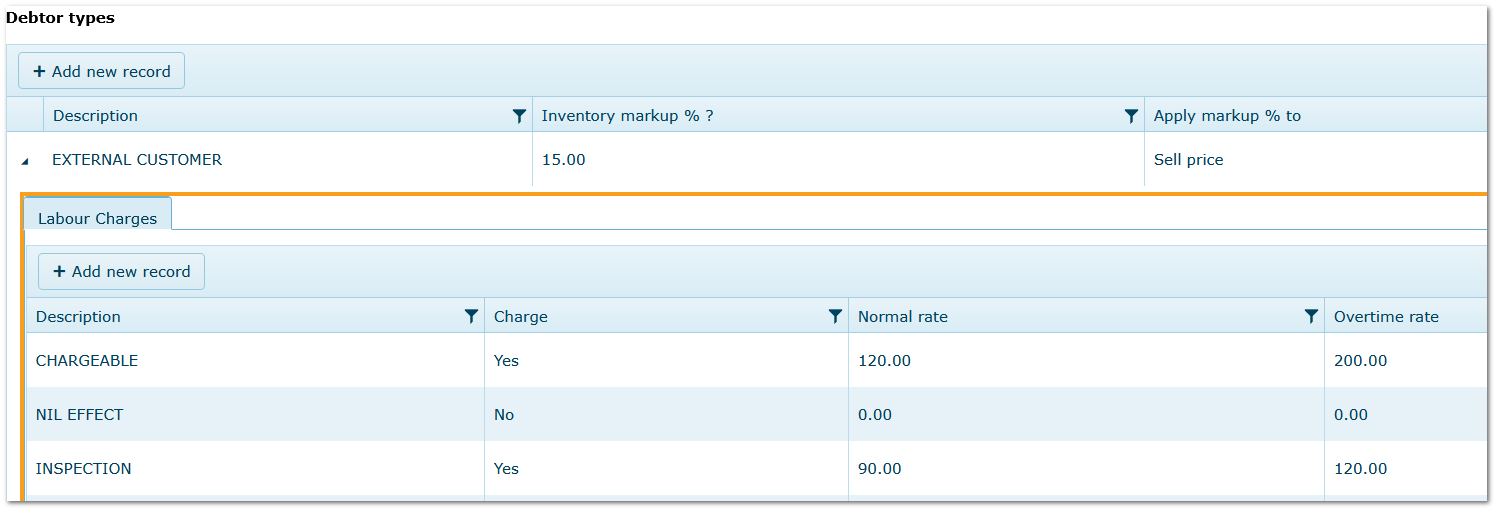
•For each Debtor Type, enter the labour rates and inventory mark-ups that are to apply - See Image 1.
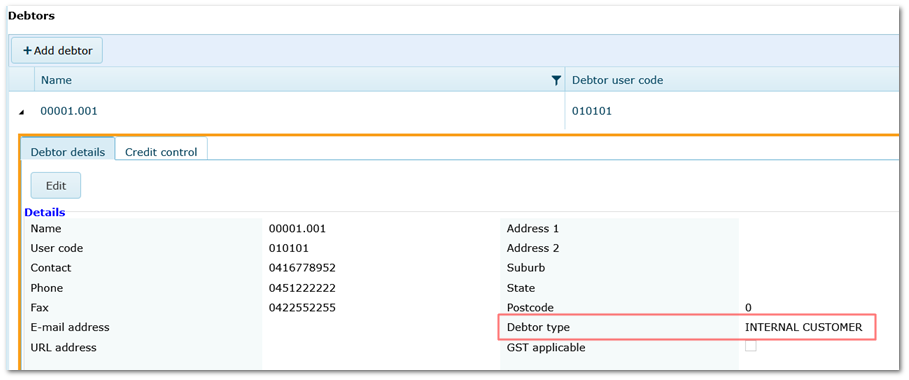
•In the Debtor reference file (More>>Reference Files>>Debtors>>Debtors), select the Debtor Type - See Image 2.
•Whenever a transaction is created for a Debtor that has a Debtor Type attached, the rates are applied.
•Where applicable, Debtor Type pricing overrides standard pricing (e.g. rates in Personnel/Inventory modules).
Debtor Type Reference File
Debtors Reference File
2. Can I Track a Vehicle Through Different Areas/Workshops E.g. During Fit Outs?
Yes, using the "Location" field when closing a job.
Location is a fleet reference file and can be used for this purpose if the different workshops are entered as Locations.
•When closing each job as the vehicle moves through the fit out/commissioning process, the new location can be selected in the "Close Job" window for the next job if parameter 580 is ticked.
•If a single job is used for all stages of the procedure, the field can be changed within the job details.
•"Location" can be selected as a column in the job list (Repair & Maintenance>>Settings) so that the list can be filtered accordingly.
If "Location" is used in this way, it's a good idea to include "In Service" or multiple other locations in the reference file to be used when the vehicle exits the workshop and is returned to service.
|

