|
1. Adding Fuel Transactions Manually
Transactions>>Fuel>>Add Transaction
All fields are required before posting.
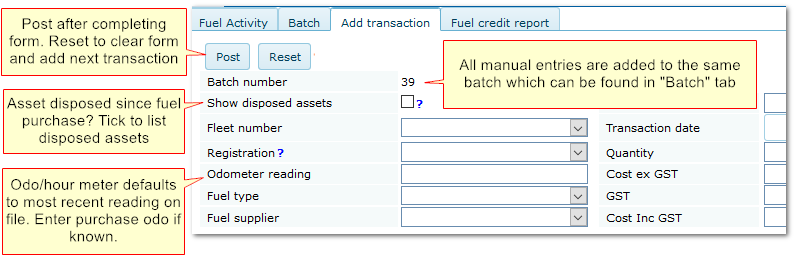
All purchases that are added in this way are assigned to the same, system batch named "Miscellaneous" with Invoice No. "Manual -01".
This batch is created automatically when the first manual record is added.
Because the batch is a system reference and manual transactions are validated on entry, "Post", "Delete" and "Edit" options are not available.
Manual Transaction Batch

|

