|
1. Generating a Forecast
Replacement Forecast>>Create New Forecast
After completing the initial module set-up, there are 2 steps to generating a forecast.
To see a forecast for an individual asset, see Section 3 below:
Requirements must be entered before creating Kits.
|
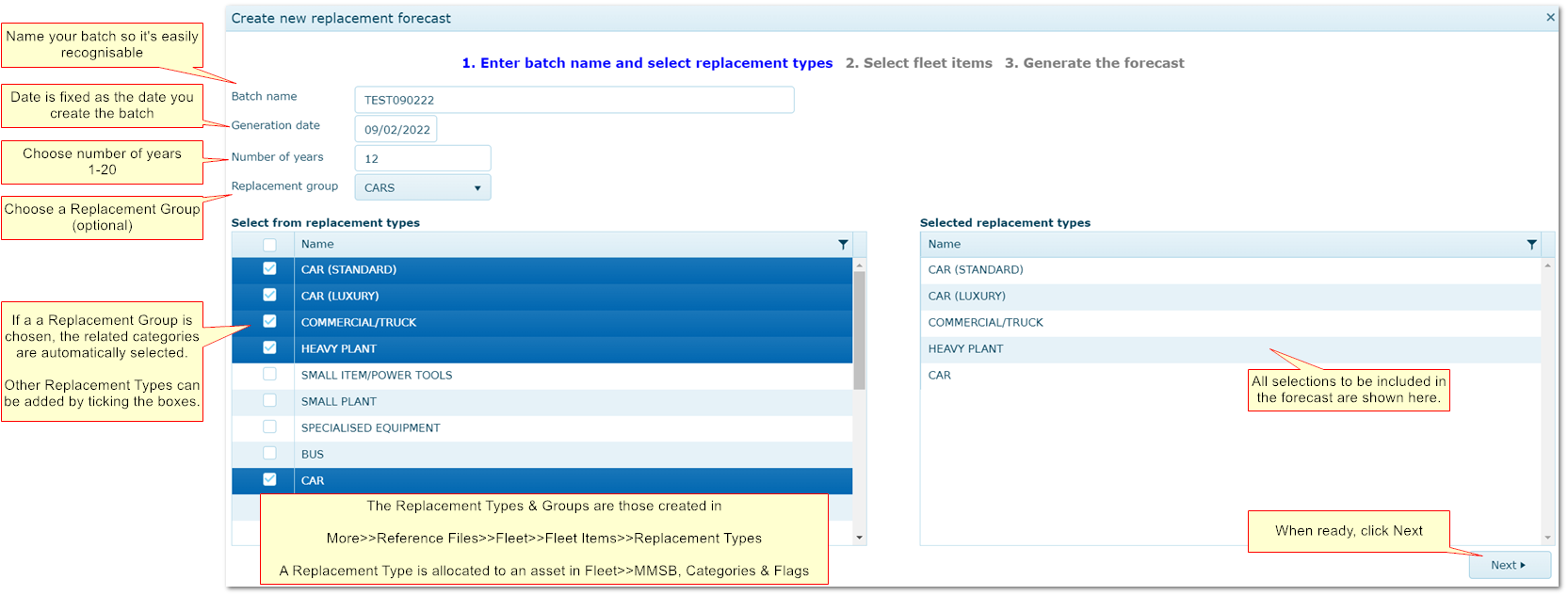
Step 1: Configure Your Forecast
|
|
|
|
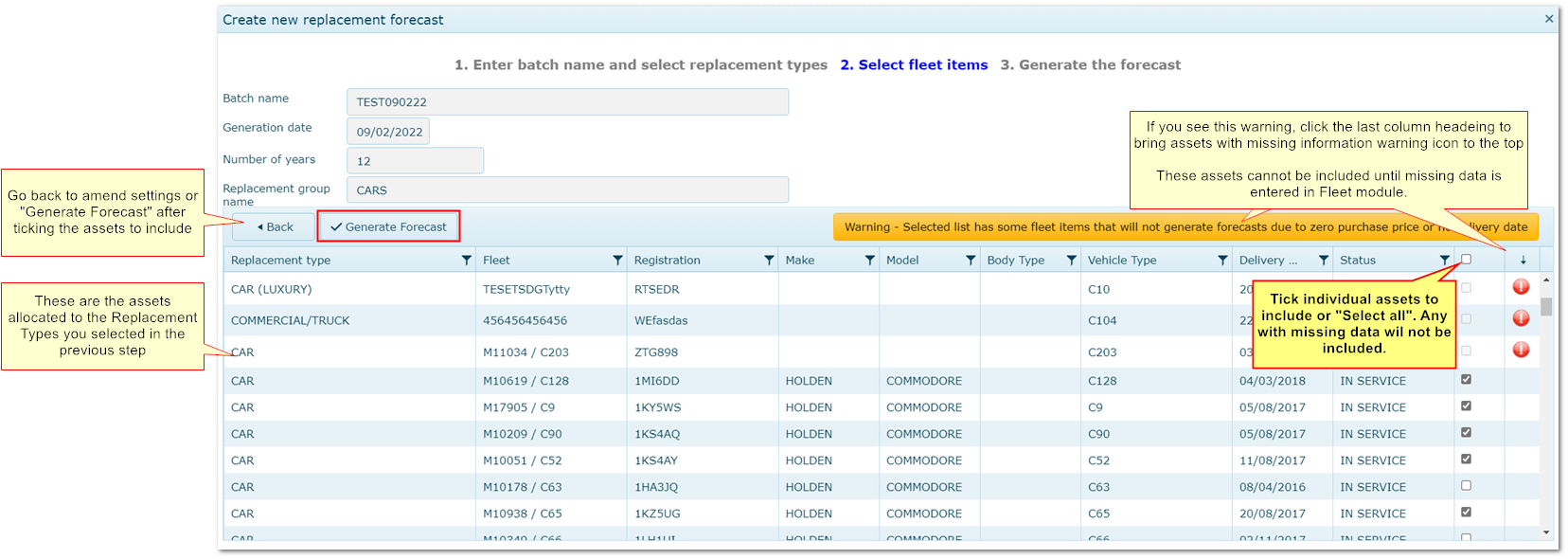
Step 2: Confirm Assets to Include
|
|
|
|
Done! Your forecast is created and appears at the top of the batch list
|
2. Results Screen
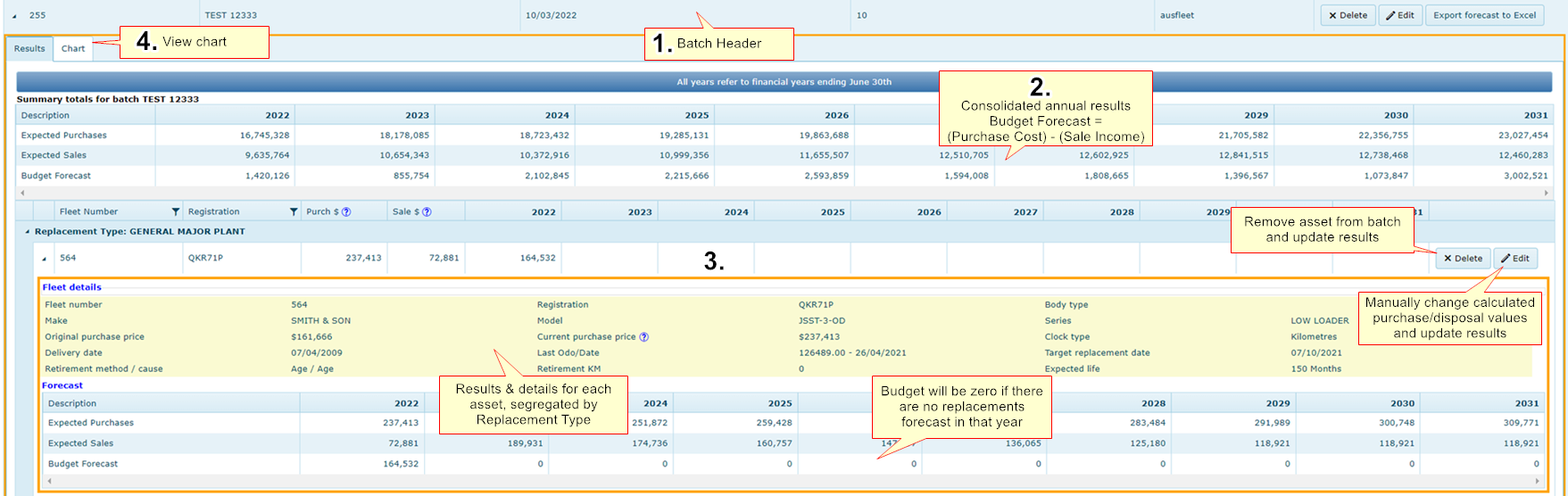
Results are presented as follows:
1. Batch Header: Command buttons to delete batch, edit the name and export results to Excel as a csv file
2. Results Summary: Consolidated, annual totals for all included assets and a tab to view results as a chart
3. Asset Detail: Individual asset results categorised by Replacement Type. Click on the Replacement Type heading to open the lists
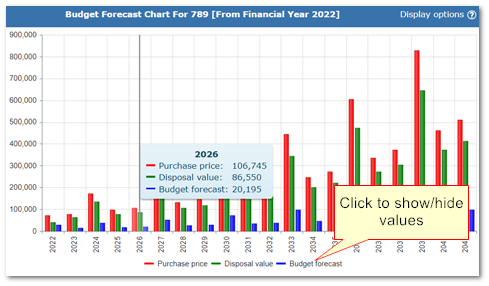
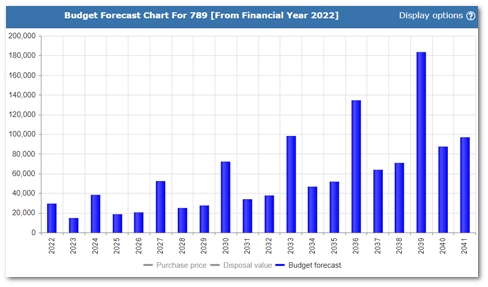
4. A bar chart: Year by year results - click on the legend to show/hide values
Replacement Forecast Results
3. Editing Results
You may change an asset's initial purchase and sale values using the "Edit" button at asset level. This is useful for correcting individual records.
Examples
•To correct historical special offer prices
•To change the purchase price of an asset bought second hand that will be replaced with a new one
•To manage risk of underestimating
•To increase/decrease sale value of assets in a particularly good or poor condition
•You may delete an asset from a batch using the delete button at asset level.
4. Multiple Replacements in the Same Year
If an asset is forecast to be replaced in the same year it was purchased:
•The asset being disposed is depreciated by one year to reflect the fact that you would not sell the asset for the same price that it was bought i.e. depreciation occurs immediately
•The purchase price of the asset being bought is not inflated because prices do not increase instantly
Example
Purchased January 2022 (FY22)
|
Replaced June 2022 (FY22)
|
|
Asset 123.1 purchased for $10,000
|
Asset 123.1 sold for = $8,000
|
|
|
Asset 123.2 purchased for $10,000
|
5. Snapshot Forecasts for Individual Assets
Replacement Forecast>>Forecast by Asset
You can run a forecast for individual assets in this tab.
The forecast is based on data available at the time. It cannot be saved but can be exported as a csv file.
Remember, results may be different from a batch result if the batch was created earlier or edited manually.
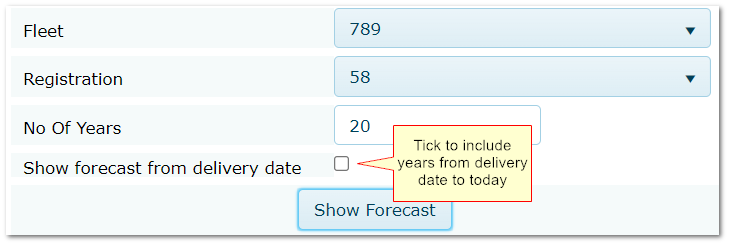
•Choose the asset
•Choose number of years you wish to forecast
•Click "Show Forecast"
"Show forecast from delivery date" flag:
•Let's you see the results from the delivery year to current year
•Useful for seeing how the current year values were calculated, particularly if the asset has been in the fleet for many years
•Leave unticked to see your forecast starting from the current year
In the chart, click on the legend to show/hide values.
|

