|
1. Invoicing Menus Overview
Pending Invoicing: Transactions that have not been invoiced
Invoices: Transactions that have been invoiced
Transactions can be invoiced using either:
•"Create Invoices" button (A below): Best for selective/individual/low volumes of transactions
or
• "Generate Invoices" menu option (B below): Batch invoicing best for large numbers of transactions
2. "Pending Invoicing" Menu
Invoicing>>Pending Invoicing
The grid displays transactions ready for invoicing.
The Invoicing Module Menu

•When opening the module, the list is filtered for the current financial period by default.
•Choose other filters depending on what transaction types you want to invoice.
•"Financial Period" shows the number of pending transactions in each period for the selected Transaction Types.
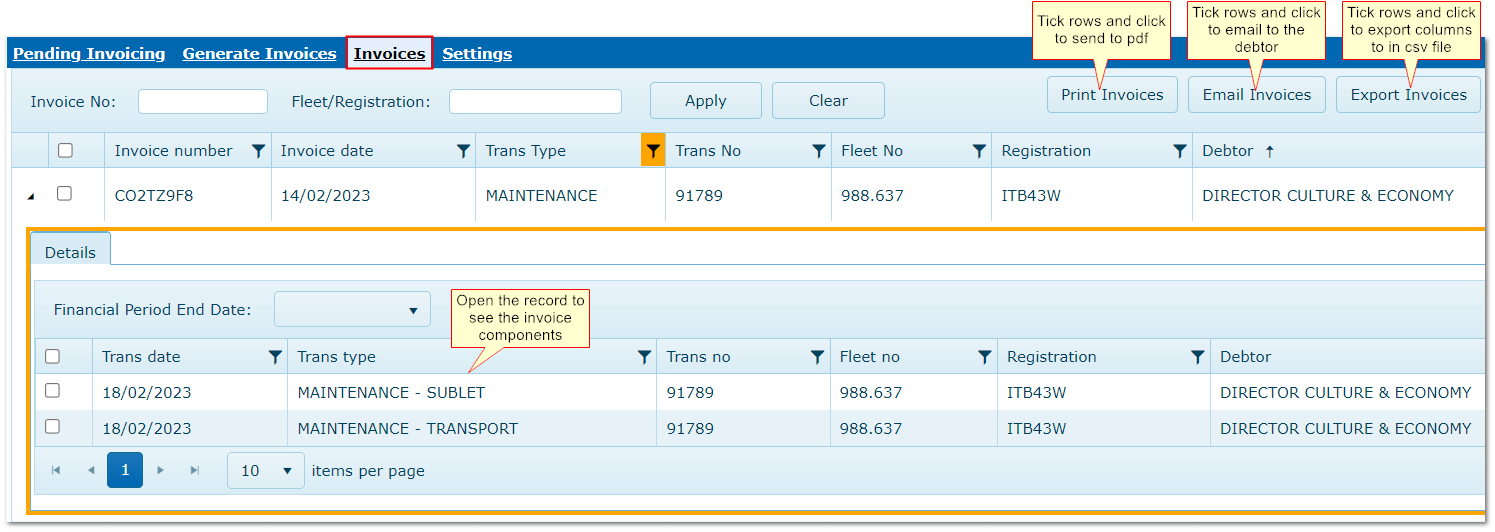
3 "Invoices" Menu
Invoicing>>Invoices
The grid displays transactions that have already been invoiced, grouped by Transaction Type and Debtor.
From here you can review the details the displayed records.
|

