|
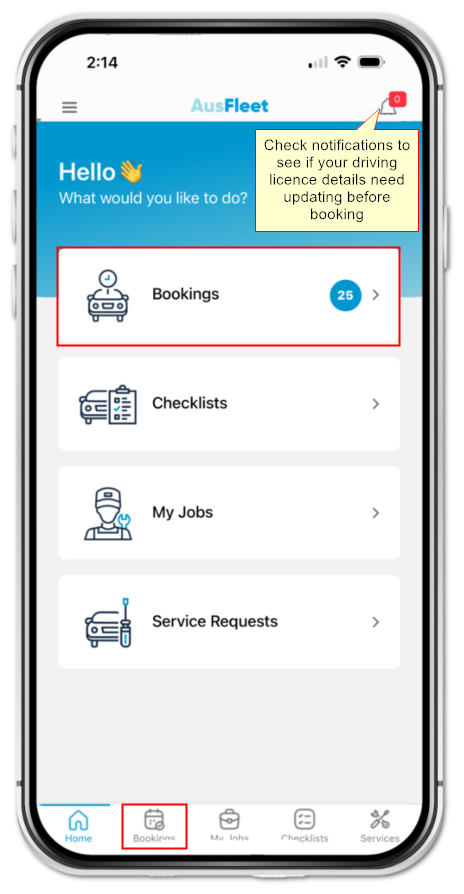
Access "Bookings" using either icon.
The notifications icon will advise if driving licence details need updating.
Incomplete/expired licence details may prevent bookings.
|
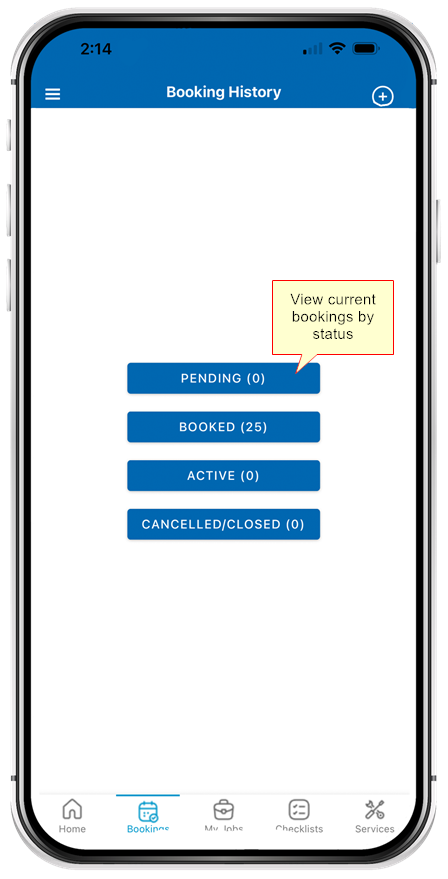
The users current booking count for each status is shown.
Press a tile to see the related bookings and zoom into details.
Pending: Awaiting your manager's approval
Booked: Approved but not yet started
Closed: Booking has ended
Cancelled: Not approved/cancelled by you or your fleet dept.
|
When pressing a status tile you will be presented with a summary list of related bookings
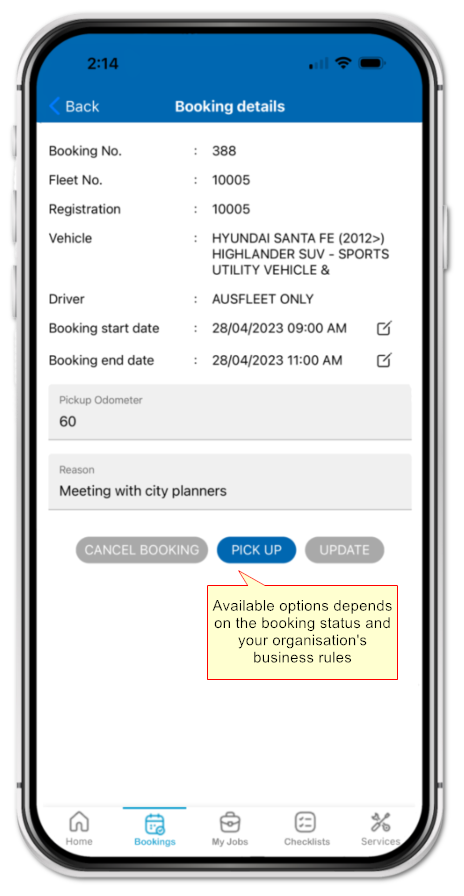
Press any booking to see full details
You may have options to pick up/return the vehicle or change/cancel bookings, depending on status and business rules
|
|
Press to add a new booking. to add a new booking.
|
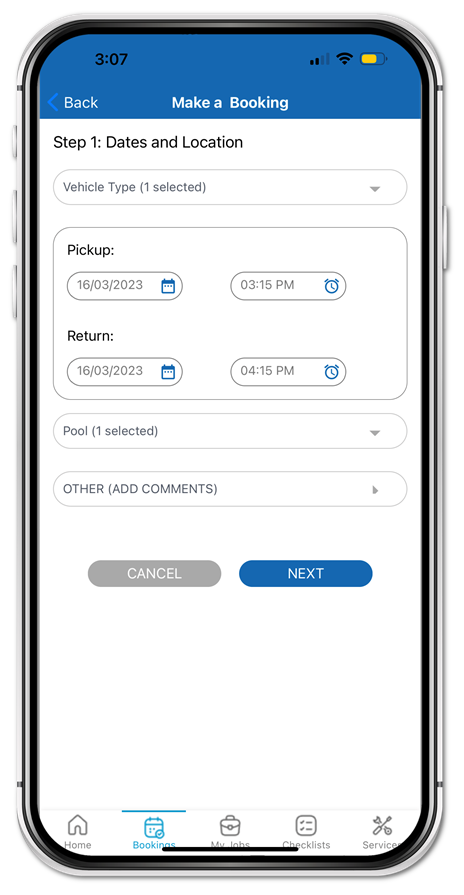
Choose the vehicle type you need from the list available.
Enter booking dates and times.
Your may need to select the Pool(s) and destination.
Press "Next".
|
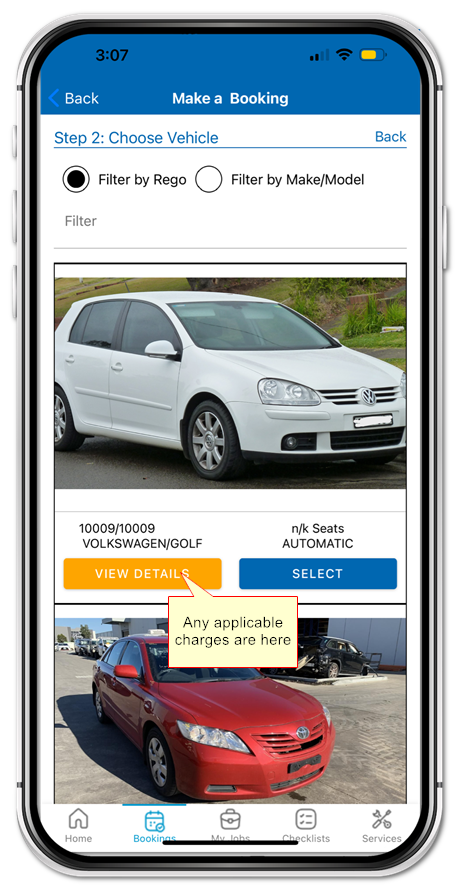
Review vehicles available during your booking period that meet your requirements.
"View Details" to see charges, if applicable.
"Select" your preference.
|
|
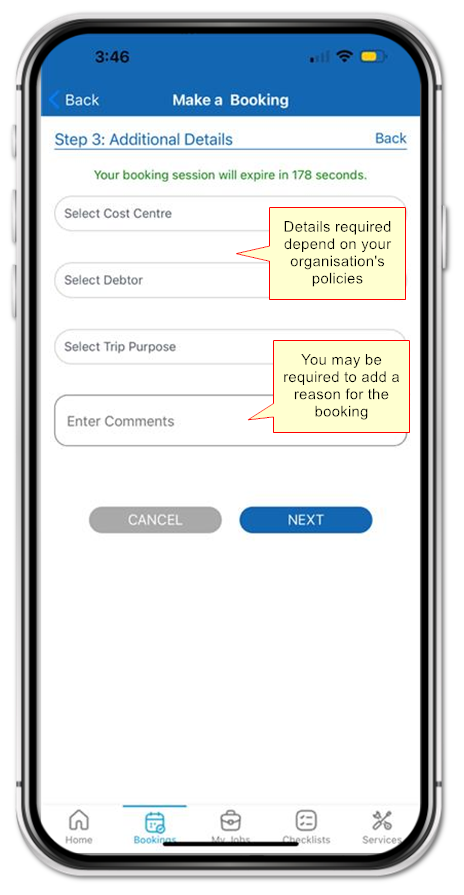
Enter additional details that may be required by your organisation.
Some details may be pre-populated and cannot be changed.
Press "Next"
|
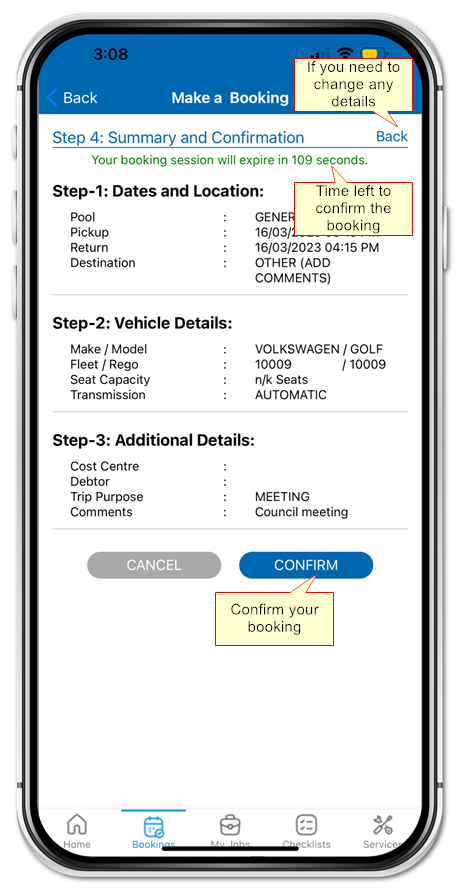
Review the booking details and if correct press "Confirm". You will return to the main page and receive notifications if emails are sent.
You have 3 minutes to finalise the booking before details will reset, to prevent the vehicle being "blocked" for other drivers.
Press "Back" to change and "Cancel" to cancel the entire booking,
|
|
Pick Up/Return Vehicles
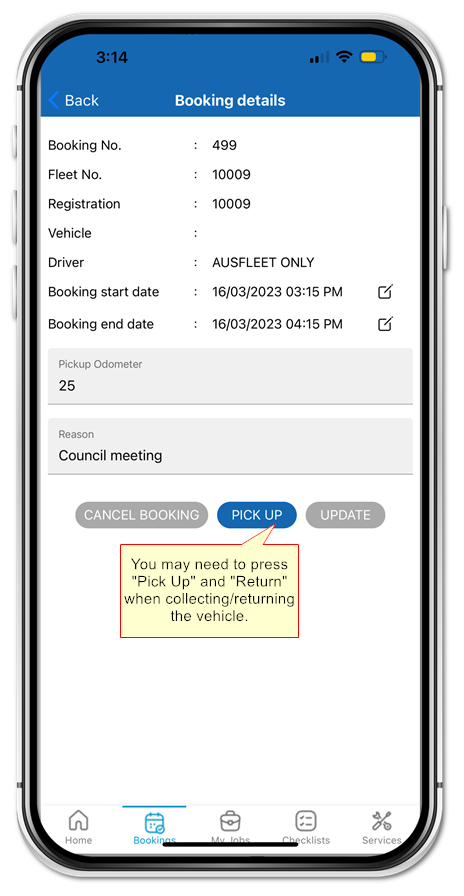
When you pick up and return the vehicle, your organisation may require you to press "Pick Up" and "Return" to confirm you have collected/returned the vehicle.
The buttons appear in the details screen.
|
Cancelling a Booking
Only bookings with status "Booked" can be cancelled.
The button appears in the details screen.
|
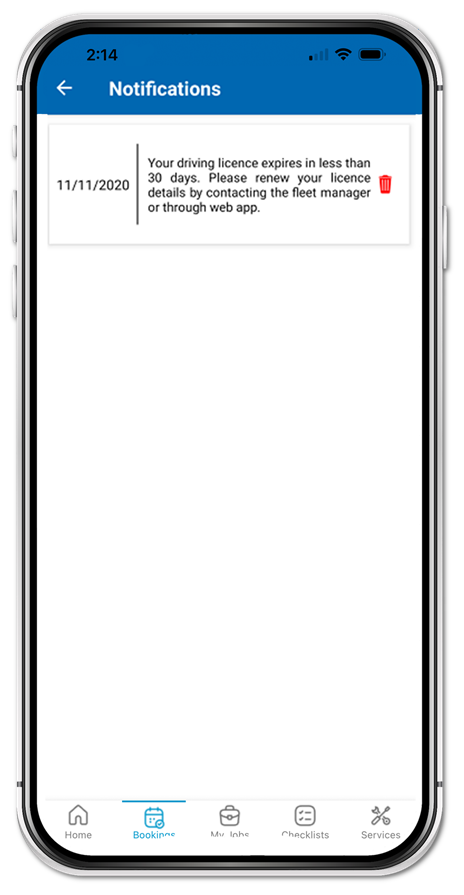
Your Driving Licence Needs Updating
You need a valid driving licence to make a booking. Check your notifications to see if your details need updating.

If you receive this message, contact your fleet department or log on to AusFleet on your desktop to update your details.
|


.png)
.png)