|
1. Submitting a Service Request or Reporting a Defect
When you submit a request, details are sent to your fleet department for assessment.
They will either:
•Schedule a job to carry out the work
•Cancel your submission if they deem any action unnecessary.
When they do either of these things, your request is updated.
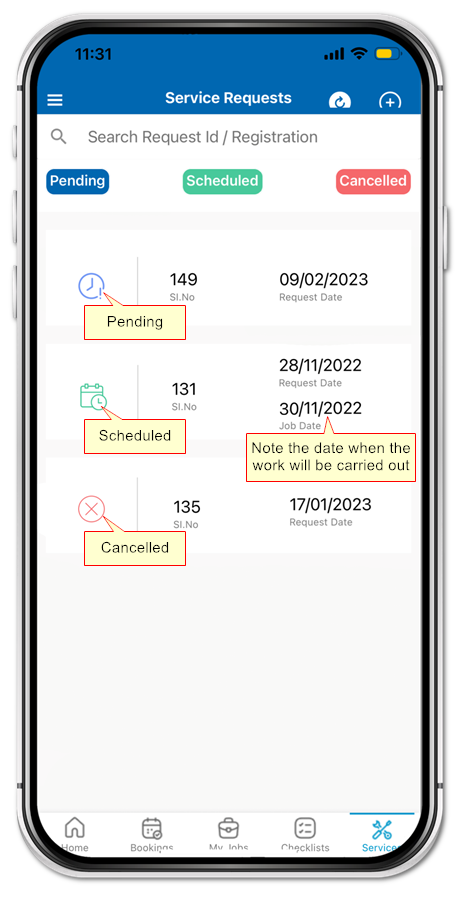
Scheduled
•Your request status changes from "Pending" to "Scheduled"
•The job date is added to your request
•You should ensure the vehicle delivered for the job on the scheduled date/time
•If you cannot provide the vehicle on the scheduled date/time, contact your fleet department immediately
Cancelled
•Your request status changes from "Pending" to "Cancelled"
•Your fleet department have decided that no action is required
•No further action is required by you

If you believe your request has been cancelled incorrectly and there is a serious or dangerous defect, contact your fleet department immediately.
Do not use an unsafe or unroadworthy vehicle.
Submitting a Request
|
|
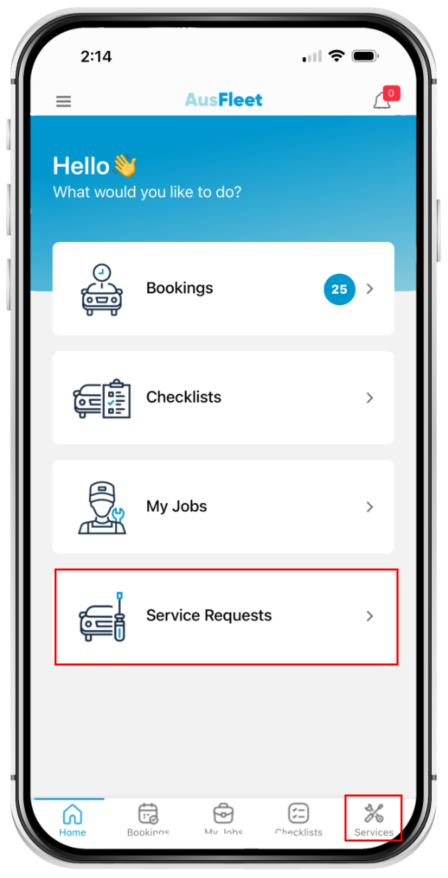
Select "Service Requests" using either icon.
|
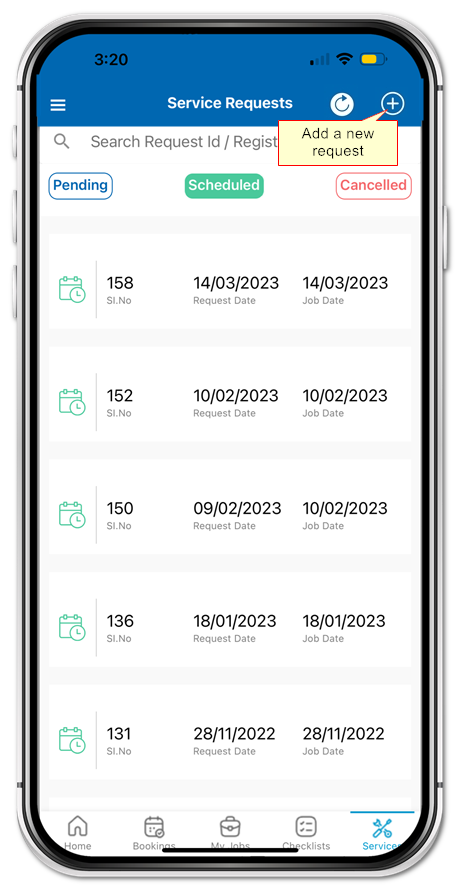
Click the icon to add a new request.
|
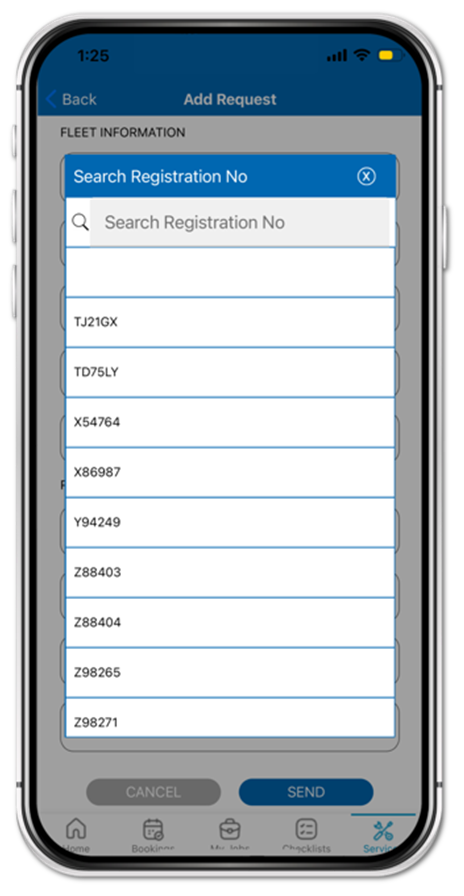
Enter or search for the vehicle.
|
|
|
|
|
|
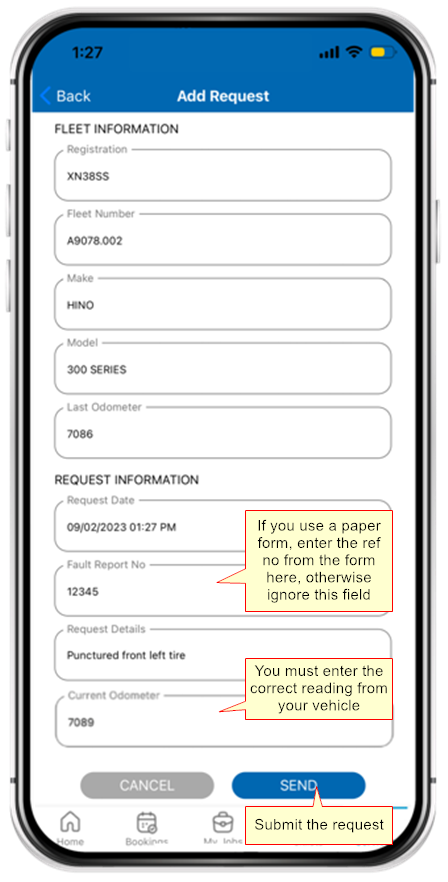
Check the details are correct.
Enter a detailed description and accurate odometer.
|
View your requests using the Status buttons.
Note Job Dates so you can deliver the vehicle for repair.
|
|
|
|
|
|
|

