|
1. Parts Pricing Basic Rules
Inventory>>Parts List>>Part Details
|
•Sell Price = Cost Price + Mark Up
|
|
•Cost price is updated when receiving parts, based on current average or last price
|
|
•Mark up can be set by a fixed $ amount or % of cost price
|
|
•All values are ex-GST
|
|
•Sell Price is the value applied when issuing parts
|
|
•Alternative, customer-specific mark ups can be applied using the "Debtor Type" reference file (see below)
|
2. Cost Price Calculation
The cost price calculation method is set in More>>Parameters>>Flags & Settings 1300:
a)Last Price: Cost Price is updated with the price from the last Goods Receipt. Sell price is based on last GR price, regardless of historical changes in cost price OR
b)Average Price: Cost price is the weighted average of all GRs
3. Mark Up
Sell Price = Cost Price + Mark Up.
Mark up is applied to the Cost Price in one of two ways:
a)According to the mark up in the Inventory parts details shown above, as either a % or $ terms OR
b)According to the mark up applied to the Debtor Type. This allows different mark up for different customers and takes preference over (a)
a) According to the mark up in the Inventory parts details shown above, as either a % or $ terms
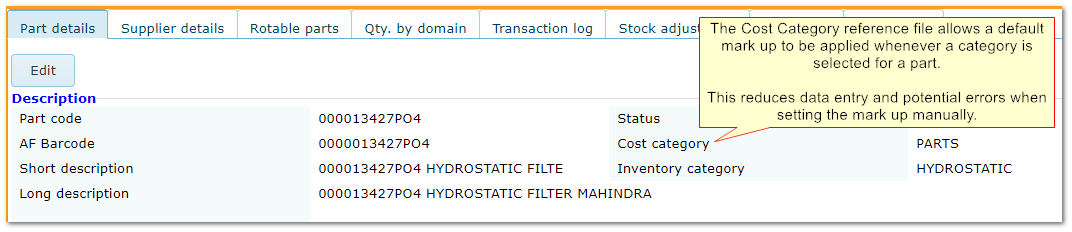
Enter the mark up in the Cost section in the parts details screen, or use a default mark up attached to the Cost Category
Mark up in Part Pricing

Mark up using "Cost Category"
(b) Using Debtor Type
This allows different mark ups to be applied for different customers.
If the debtor on the job does not have a Debtor Type or the Debtor Type mark up is 0, then the mark up in the part details is used instead (option (a)).
See also: Understanding Debtors and Debtor Types
Mark Up in Debtor Type Reference File

End of chapter.
|

