|
1. Adding Parts to the Database
Inventory>>Add Part
See also:
Purchase Units
Recommended Reorders
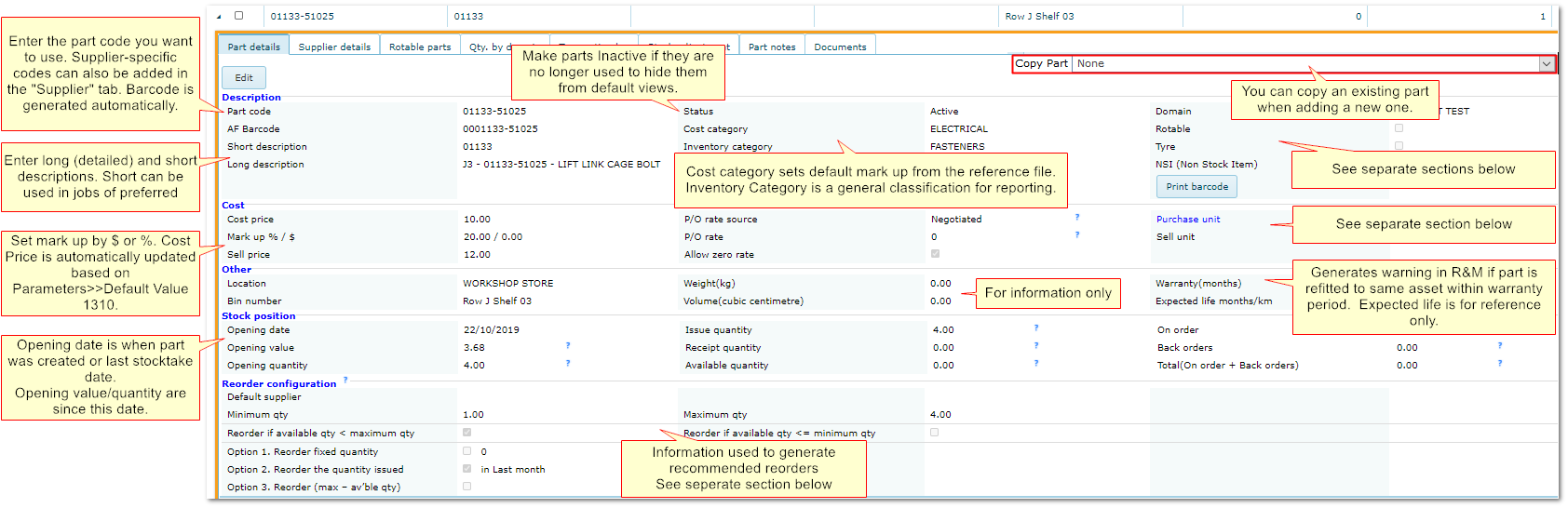
•Select a part to copy at top right and add/amend details
or
•Add a new part from scratch.
Additional details are given in the sections below.
Adding Parts/Parts Details
2 Entering Suppliers for Each Part
Supplier menu shows suppliers flagged as "Inventory" in Suppliers reference file.
Multiple suppliers can be entered for each part but only one can be flagged as "Default" supplier
The default supplier is used in POs to reduce data entry but can be changed in POs if required.
The "Last Receipt" and "At Cost" columns are updated each time a GR with the part/supplier combination is completed.
If a supplier-specific part number is entered, when searching for a part, AusFleet checks for any matching supplier part codes and AusFleet part codes.
End of Chapter.
|

